Gaming mice are designed for precision, responsiveness, and extended use. Unlike standard computer mice, gaming models often feature adjustable DPI settings, high-performance optical sensors, programmable buttons, RGB lighting, and advanced wireless connectivity.
For importers sourcing gaming mice from China, appearance checks alone are insufficient. A mouse may look acceptable but suffer from inaccurate tracking, inconsistent clicks, unstable connections, or defective firmware. A structured pre-shipment inspection helps buyers identify these problems before products leave the factory.
1. Appearance and Workmanship
Inspectors examine randomly selected gaming mice against approved samples and product specifications.
Common checkpoints include:
- Scratches, stains, cracks, and surface discoloration
- Uneven gaps between housing components
- Loose buttons, poorly fitted covers, or sharp edges
- Incorrect logos, colors, and surface finishes
- Defective rubber grips or mouse feet
The mouse should feel securely assembled, without unusual rattling or loose internal components.
2. Dimensions, Weight, and Ergonomics
Gaming mouse dimensions and weight influence handling and user comfort.
Inspectors verify overall length, width, height, and weight against approved specifications. Adjustable weight systems, removable covers, and interchangeable components should also be checked where applicable.
Any significant deviation may indicate incorrect components or inconsistent assembly.
3. Button Function and Click Response
Gaming mice typically include left and right buttons, a scroll wheel, DPI adjustment buttons, and additional programmable controls.
During on-site functional testing, inspectors verify that each button operates correctly.
Checks include:
- Consistent click activation and release
- No sticking, excessive looseness, or abnormal noise
- Correct operation of side buttons
- Proper DPI switching and indicator response
- Accurate button assignments in supported software
Where suitable equipment is available, repeated-click testing can help identify intermittent failures or unintended double-clicking.
4. Optical Sensor and DPI Accuracy
Sensor performance is one of the most important characteristics of a gaming mouse.
Inspectors verify cursor tracking on suitable test surfaces and check whether different DPI settings produce the expected changes in sensitivity.
Typical checks include:
- Smooth cursor movement without unexpected jumps
- Consistent tracking at different movement speeds
- Correct switching between preset DPI levels
- No unexpected cursor movement when the mouse is stationary
Precise DPI accuracy, tracking speed, and acceleration measurements require calibrated equipment and defined test procedures.
5. Polling Rate and Response Performance
Polling rate indicates how frequently a mouse reports its position to a connected computer.
Gaming mice may support several polling rate settings, depending on the model.
Inspectors can use compatible software to check whether the device operates at its specified settings.
However, software readings may vary with the computer, operating system, and testing environment. Accurate latency verification requires specialized equipment.
Basic factory checks should not be presented as laboratory-level performance certification.
6. Scroll Wheel and Movement Control
The scroll wheel should rotate smoothly and register movement consistently.
Inspectors check upward and downward scrolling, middle-button activation, and any adjustable scrolling modes.
They also examine mouse feet for correct positioning, secure attachment, and smooth movement across suitable surfaces.
Abnormal friction, uneven feet, or inconsistent wheel response can negatively affect the user experience.
7. Wired and Wireless Connectivity
Connectivity checks depend on the gaming mouse configuration.
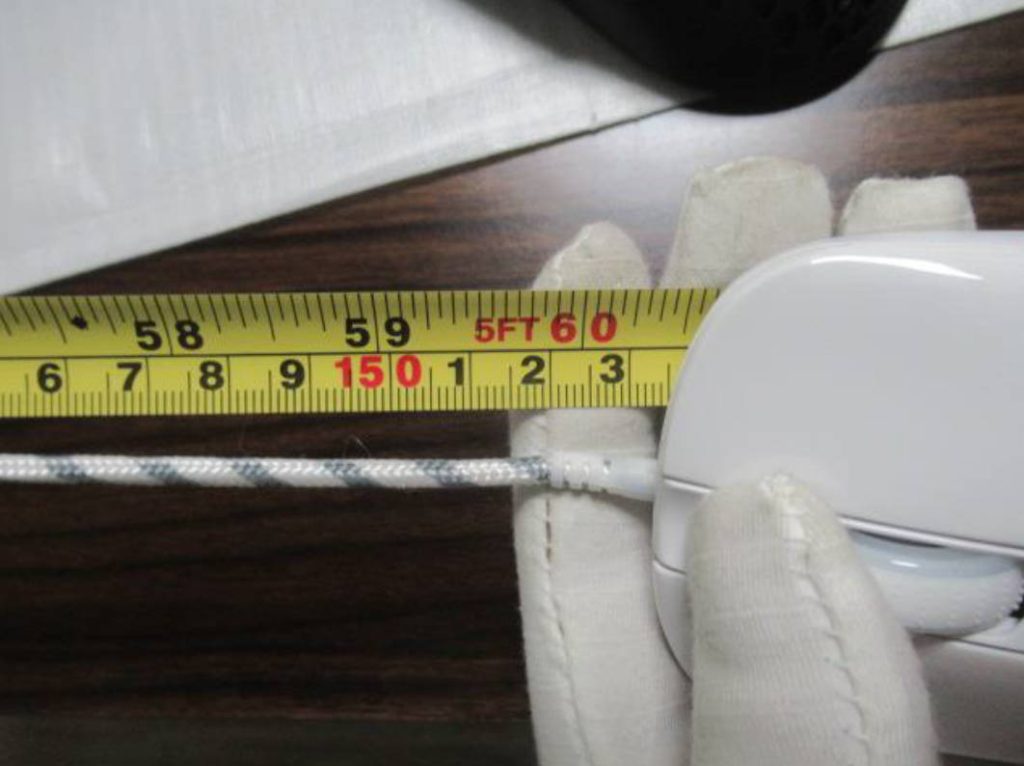
For wired models, inspectors verify USB recognition, cable condition, connector fit, and stable operation.
For wireless models, additional checks may include:
- Bluetooth or 2.4 GHz receiver pairing
- Connection stability during normal operation
- Correct reconnection after power cycling
- Charging function and battery indicators
- Proper operation of wireless mode switches
Where applicable, inspectors should also verify that the supplied USB receiver matches the mouse.
8. RGB Lighting and Software Compatibility
Many gaming mice include customizable lighting and programmable functions.
Inspectors check whether RGB lighting operates correctly, displays consistent colors, and responds to available settings.
When manufacturer software is provided, basic checks should confirm device recognition, profile switching, button customization, and DPI configuration.
Firmware versions should be verified against the buyer’s approved requirements when specified.
9. Packaging, Accessories, and Defect Classification
Before shipment, inspectors verify product quantities, model numbers, packaging, labels, and accessories.
Typical accessories include USB receivers, charging cables, replacement mouse feet, and instruction manuals.
Inspectors also check barcode readability, retail packaging condition, and shipping carton protection.
For random inspections, an AQL sampling plan based on ISO 2859-1 or ANSI/ASQ Z1.4 can be used to evaluate workmanship and functional defects.
Problems such as nonfunctional buttons, failed connections, or severe tracking failures are generally treated as major defects, subject to agreed classification criteria.
Conclusion
Effective gaming mouse inspection combines appearance verification, button testing, sensor checks, connectivity evaluation, and packaging inspection.
Clear specifications and appropriate testing equipment are essential for reliable results. Advanced performance claims should be supported by specialized testing where necessary.
NBNQC provides independent inspection services across mainland China, helping buyers identify manufacturing defects and verify gaming mouse quality before shipment.